When you look at a search results list on Google, you see a short description under every result. This text often comes from the page’s meta description tag and is a small but important text that influences whether the user will click that result. Even so, many sites either leave this field empty or repeat the same sentence on every page.
In this article we explain what a meta description is, the right expectation about its SEO effect, length and writing rules, copyable templates by page type, good and bad examples and why Google may change the description you wrote. For the general frame of meta tags you can look at our article on what meta means; here our subject is only the description text.
What Is a Meta Description?
A meta description is a tag in the HTML code of a web page that briefly summarizes the content of the page. It can be used as the source for the short summary shown under the title in search results. It is not visible to the visitor on the page itself; it appears only in search results, social media share previews and some tools.
As a simple example it sits in the code like this: <meta name="description" content="...">. The text you write in the content part is one or two sentences that tell what the page is about and why the user should click.
The SEO Effect: The Right Expectation
An important distinction is needed: Google has stated that the meta description is not a direct ranking factor. That is, stuffing keywords into the description will not carry you higher.
Even so it matters, because it has an indirect effect. A well-written description can catch the user’s attention in the result and raise the click-through rate (CTR). Between two results in the same position, the user chooses the description that looks more like what they are looking for. Because Google’s stance on the effect of click-through rate on rankings is not clear and fixed, think of this not as a guarantee but as an improvement that serves the user.
In short: write the meta description not to raise rankings but to bring the right user to the page.
Length: How Many Characters?
There is no official character limit. The description in search results is cut by pixel width, not by character count, and this width can change with the device and over time. So it is misleading for everyone to accept a single number as correct.
As a practical frame, writing a description of roughly 120-160 characters that puts the priority message at the start is a safe approach. If you put the most important information in the first 100 characters, the main message is not lost even when it is cut. Very short descriptions (under 50 characters) carry no information; very long ones are cut from the middle or the end.
To see exactly how a description will look you can use search result preview tools; but Google decides the real appearance.
How Is a Good Meta Description Written?
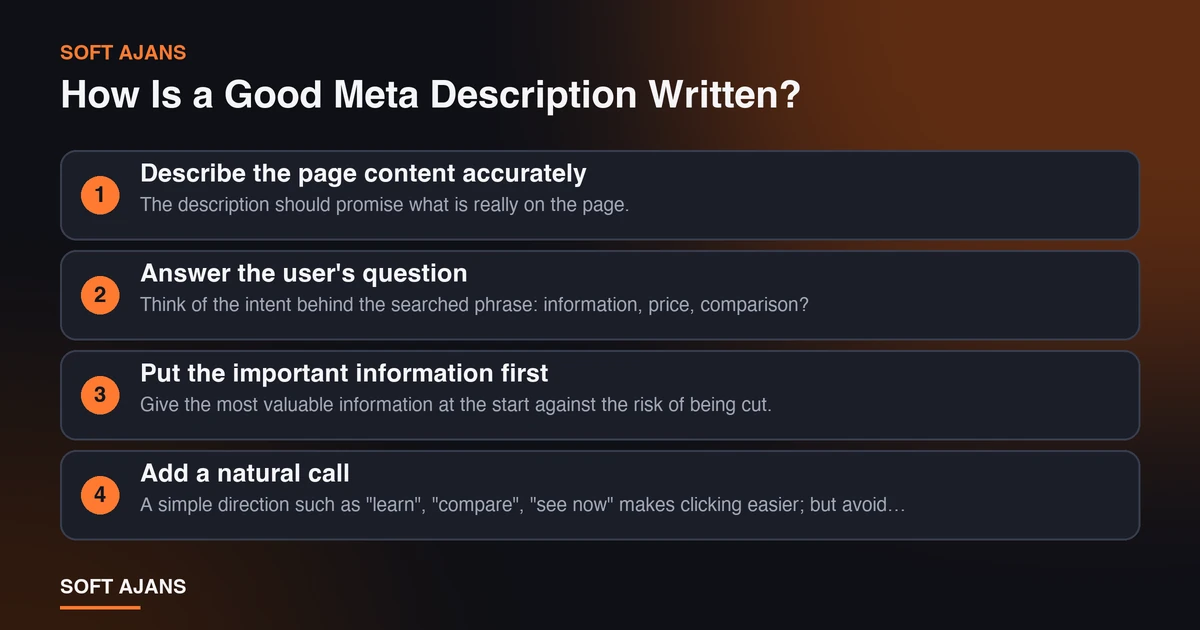
An effective description rests on a few principles:
Describe the page content accurately. The description should promise what is really on the page. A misleading description sends the user back with disappointment and raises the page’s bounce rate.
Answer the user’s question. Think of the intent behind the searched phrase: information, price, comparison? Give a promise suited to that intent in the description.
Put the important information first. Give the most valuable information at the start against the risk of being cut.
Add a natural call. A simple direction such as “learn”, “compare”, “see now” makes clicking easier; but avoid exaggerated and pushy expressions.
Use the keyword naturally. If the searched phrase appears in the description it may show in bold in the result and give the user a match signal; but forcing it hurts readability.
Write specifically for each page. Repeating the same description on many pages makes pages indistinguishable from each other.
Do not give result promises. Guarantee language such as “reach first place” or “certain result” both damages trust and is misleading.
Templates by Page Type
The templates below are starting points for you to adapt to your page. Fill the bracketed parts with your own information.
Service page: With [service name] [concrete benefit]. [A short phrase on how you work]. [Call: get a quote, ask for an analysis].
Blog post (how-to): How to [topic]? [How many steps, which checklist]. [What the reader will get].
Blog post (comparison): [A] or [B]? [By which criteria they are compared]. [Which one suits which situation].
Product page: [Product name], [key feature], [usage advantage]. [Delivery or price information if any].
Category page: Browse [category] products. [Range and filter information]. [A trust element, for example returns or shipping information].
Local business page: [City/district] [service]. [Opening hours or a standout feature]. [Contact call].
The principle common to every template is the same: what it is, the benefit to the user and a next step.
Good and Bad Examples
The examples below are fictional; they are meant to show the logic.
Bad: “Home. Welcome. Best prices, highest quality service, campaigns, discount, cheap, affordable, call now.” This description is like a keyword pile and gives no concrete information.
Good: “Corporate website design in Ankara: with page plan, mobile compatibility and SEO foundation. Ask for an analysis to get a quote that fits your project.”
Bad: “You can find our products on this page.” What kind of product, why this page? It says nothing.
Good: “Filter men’s sports shoe models by size, color and price. Browse with free shipping and 14-day returns.” (provided that the shipping and return terms are really valid.)
Bad: “The best in the world, we will definitely bring you to first place.” An exaggerated and unverifiable claim.
Good: “What determines backlink package prices? 10 points to look for in a quote, under the headings of publication quality, content and reporting.”
Notice: good examples give concrete information, tell the user what they will meet and avoid exaggeration.
Why Might Google Change Your Description?
It is not guaranteed that the meta description you wrote appears as is in search results. Google may take another text from the page content that it finds more suited to the user’s searched phrase and show it as the description. This is seen especially when the description does not match the searched query, is very short or very generic, or the same description is used on many pages.
It is not possible to prevent this, but you can reduce it: write a description specific to each page, consistent with the page content and answering the user’s query. Google changing it is not an error; the aim is to show the user the most suitable text. If the description you wrote is not shown, it is also useful to review the first paragraphs of the page’s main content, because Google often takes it from there.
Managing Meta Descriptions on Large Sites
On sites with hundreds of products or blog posts, writing every description by hand is hard. Two approaches can be used in this case. The first is to write original descriptions by hand for important pages (home page, service pages, posts with a lot of traffic, category pages). The second is to set up template-based automatic production for many similar pages (like products); but it is essential to put page-specific variables (product name, category, key feature) into the template.
The most common mistake in template production is a generic sentence that takes no account of differences between pages being copied to hundreds of pages. For detail see our article on on-page SEO optimization and for the general frame our article on what SEO is.
Meta Description Checklist
Check these items before publishing:
- The description tells the page content accurately.
- It is specific to the page, not repeated on another page.
- Roughly 120-160 characters, with the important information first.
- It answers the user’s search intent.
- The searched phrase appears naturally, not forced.
- It contains a simple call or a next step.
- It contains no exaggeration, guarantee or result promise.
- There are no spelling or punctuation errors.
- It promises no untrue information (returns, shipping, price).
- It is consistent with the title tag and does not repeat it.
Using this list for every new page keeps the quality of descriptions steady.
How Do the Meta Description and the Title Tag Work Together?
In a search result the user reads the title first and then the description; the two together should form a single message. The title says what the page is, and the description tells why it should be clicked. If both repeat the same sentence, half of the space is wasted.
A good pair works like this: the title gives the searched phrase and the main topic, the description adds the concrete thing the page offers (a verifiable detail such as number of steps, a list, a comparison or a price range) and a light call. This approach shows the user in advance what they will find on the page and reduces clicks that come with a wrong expectation.
When Should You Update the Meta Description?
Instead of writing a description once and forgetting it, review it in certain situations. Rewriting makes sense when the page content changes significantly, price or campaign information is updated, the page starts to appear for a different searched phrase or the click-through rate stays lower than expected.
The query and click data in Search Console shows which page needs a description improvement: pages with high impressions but a low click-through rate are priority candidates. After making a change, wait a few weeks and compare the result; deciding in a short time misleads.
Common Mistakes
- Leaving the field empty. If left empty, Google takes an arbitrary piece from the page, which is often not the best summary.
- Using the same description on all pages. Pages become indistinguishable and value is lost for users and search engines.
- Stuffing keywords. It spoils readability and gives a spam impression.
- Writing a misleading promise. If the user cannot find on the page what was promised, they leave straight away.
- Writing too long. The important message can be lost in the cut part.
- Repeating the title. The description should give additional information in place of the title.
- Treating the meta description as ranking magic. It is not a direct ranking factor; it is written for clicks.
- Not updating. When price, campaign or scope changes, the description should be updated too.
What Does Soft Ajans Do in SEO Work?
In our SEO consulting service we prepare page titles and descriptions according to search intent, scan and fix repeated and missing descriptions and report the changes. In our technical SEO service we also set up a template-based description structure for large sites.
We do not give guarantees of a certain ranking or click-through rate; we share in writing what we do and what we measure. You can ask for a free preliminary analysis to see your site.
Frequently Asked Questions
What is a meta description?
A tag in the HTML code of a page that briefly summarizes the content. It can be used as the source for the description shown under the title in search results.
Does the meta description affect rankings?
Google has stated that it is not a direct ranking factor. However, a well-written description can bring an indirect benefit by raising the click-through rate.
How many characters should a meta description be?
There is no official limit; cutting is done by pixel width. Roughly 120-160 characters with the most important information first is a safe approach.
Why doesn’t Google show the description I wrote?
Google may take another text from the page content that suits the query better. This happens more often if your description is generic, short, mismatched with the query or repeated on many pages.
Is it mandatory to write a separate meta description for every page?
For important pages, yes. For many similar pages (like products) you can use templates that contain page-specific variables; but do not copy a single generic sentence to all pages.
Should I add a keyword to the meta description?
It is useful for it to appear naturally, because it can show in bold in the result. But forcing keywords in spoils readability and brings no benefit.