When you build a corporate website, one of the first questions is always the same: which pages should it have? The answer usually swings between two extremes. On one side are sites that settle for the trio of “home, about, contact” and squeeze their services into a single paragraph; on the other are thirty-page sites that nobody opens and half of which are empty. In both, the visitor cannot find what they are looking for.
In this article we explain the fourteen pages a corporate website should have, the job of each, how to turn them into a sitemap and how to build the menu. Our aim is not to inflate the page count; it is to make sure every piece of information the visitor needs on the decision journey has an address. For the layout inside the home page itself, see how a home page should be structured; here the subject is the structure of the whole site.
Page Structure Serves the Visitor First, the Search Engine Second
The reason a page exists should be expressible in one sentence: “This page answers this question.” The about page answers “Who are you, can I trust you?”, a service page answers “Do you do this work, how do you do it?” and the contact page answers “How do I reach you?” A page whose answer is unclear is unnecessary; if two pages answer the same question, one of them is extra.
Search engines follow the same logic. When every page corresponds to one topic and one search intent, Google easily understands what to show where. Explaining the same topic halfway on three pages makes the pages compete with each other. So when planning pages, first list the visitor’s questions, then assign an address to each question. For the general framework of the process, how to prepare a professional web design is also useful.
And remember: the list of pages a site should have is not fixed; it changes with the type of business, the number of services and the goal. The list below is a starting point, not an imposition.
Core Pages: Home, About, Services, Contact

The first five pages are the skeleton of a corporate site.
1. Home page. The page where the visitor finds, at first glance, the answers to “what do they do, who do they do it for, what should I do”. A single main action (call, WhatsApp or form), short links to the services and a proof of trust are enough.
2. About. Who are you, how long have you existed, how do you work, with whom? People want to see the people behind a company before working with it. Real information, real photos and concrete figures (verifiable ones such as the founding year or number of completed jobs) give more trust than ornate sentences. As an example, our about page follows this structure.
3. Services (overview page). An entry page that gives a short summary of all services and a link to the detail page of each. Even if the visitor does not know the name of a service, they should be able to choose from here. The services page does this job.
4. Service detail pages. A separate page for each main service: what you offer, for whom, how the process works, packages and frequently asked questions. Giving a service its own address instead of describing it as a paragraph on another service’s page is clearer for both the visitor and the search engine. As an example, you can look at our web design service page.
5. Contact. Phone, e-mail, address, working hours, a map and a short form. Even if the contact details also appear at the bottom of every page, a separate contact page reassures the visitor: “if I write here, I will be reached”. Our contact page illustrates this structure.
Trust Pages: References, Case Studies, Reviews and Team

The next group answers the visitor’s second question: “Have you done this before, and did you do it well?”
6. References. The logos or names of the companies you work with. Do not put any name without publication permission. If references are few or confidential, put weight on case study pages instead of this page. Our references page works on this logic.
7. Case studies. Pages that show how a concrete problem was solved. A good case contains the situation, the work done, the measured result and the limitations. Instead of inventing figures, write their source. For an example structure, look at the case studies page.
8. Customer reviews. Google reviews and opinions with publication permission. If you copy reviews to your own site, state the source; to increase the number of reviews, see how to get more Google reviews. Our reviews page offers a sample layout.
9. Team. A team page is not mandatory, but for small and medium-sized companies it is one of the pages that increase trust the most. A real photo, a name, a role and a short sentence are enough. Do not put photos of employees without publication permission. The our team page is an example.
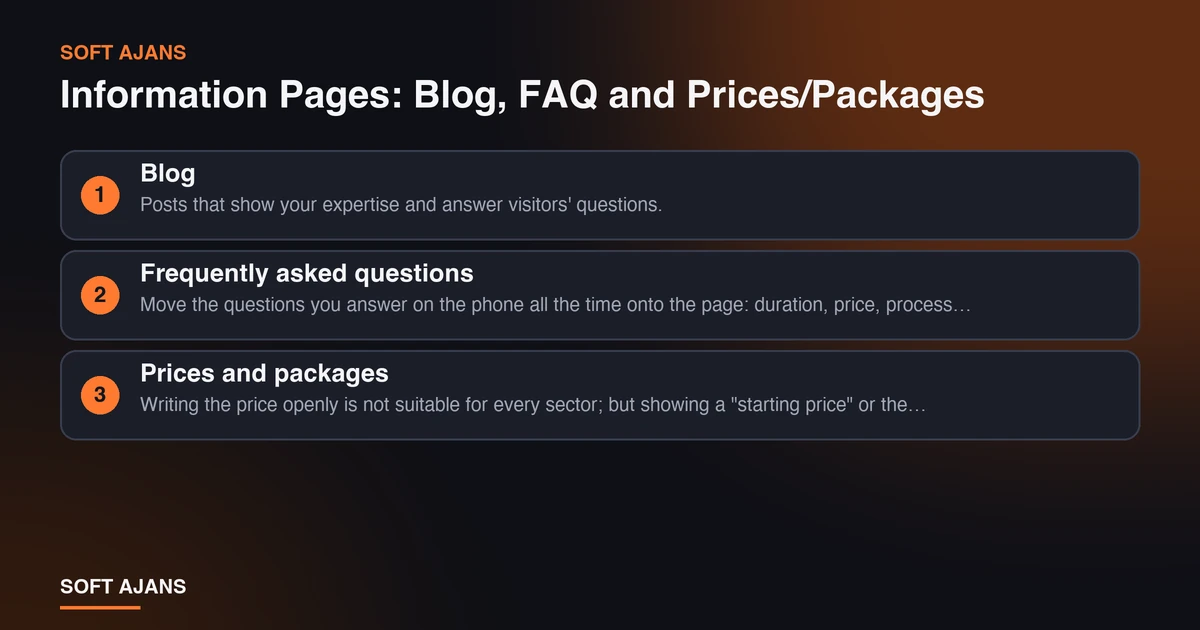
Information Pages: Blog, FAQ and Prices/Packages
This group is the pages that shorten the decision process and attract search traffic.
10. Blog. Posts that show your expertise and answer visitors’ questions. A blog should not be a billboard; it should carry content that supports your services and really answers questions. Every post should link to the relevant service page. For the blog’s role in the site, you can look at the structure of our blog page.
11. Frequently asked questions. Move the questions you answer on the phone all the time onto the page: duration, price, process, privacy. It reduces the load on both the visitor and you. Search engines also like the question-and-answer format. Our frequently asked questions page is an example of this structure.
12. Prices and packages. Writing the price openly is not suitable for every sector; but showing a “starting price” or the scope of a package lets the visitor do the first screening themselves. Even if you do not write a figure, explain what it depends on. As an example, our packages page shows the scope service by service.
Legal and Technical Pages
The last two pages are easy to overlook, but they matter for both trust and compliance.
13. Privacy, personal data and company information. If your site collects forms or does measurement, you need a privacy and personal data protection text. The company title, tax details and bank details support corporate trust. Have legal texts checked by an expert. On our own site we gather this information on the privacy policy and company and bank details pages.
14. 404 page and sitemap. Do not leave a visitor who arrives at a non-existent address on an empty error page; prepare a custom 404 page that offers a search box and the main links. Also keep a sitemap page where visitors and search engines can see all pages. We explained what an XML sitemap is in the sitemap article; for managing error pages, see how to find and fix 404 errors. As an example, our sitemap is open.
A Sample Sitemap
We can show how the fourteen pages above sit in a hierarchy on a corporate site like this:
- Home page
- Corporate: About, Team, References, Case studies, Customer reviews
- Services: The overview page, a separate page for each main service (service A, service B, service C)
- Information: Blog (with categories), Frequently asked questions, Prices and packages
- Contact: Contact form and details
- Footer: Privacy and personal data, Company information, Sitemap
- Technical: 404 page, thank-you page after a form
In this map, every corporate page should be reachable from the home page in two clicks. Deeply nested pages tire both the visitor and the search engine. Building mutual links between service pages and the related blog posts strengthens the structure.
How Do You Build the Menu and Internal Links?
Keep at most five to seven items in the main menu: Services, Corporate (or About), References, Blog, Contact and so on. On sites with many services use a dropdown submenu, but do not make submenus deeper than two levels. Keep the same order in the phone menu.
Three rules should govern internal links. First, every service page should link to the related blog posts, and every blog post to the related service page. Second, corporate pages should link to each other; from about to references, from references to cases. Third, the link text should be descriptive: “our web design service” instead of “click here”. For a broad framework on why a corporate site matters, see why corporate web design is vital for companies, and for the process specific to Ankara, see how to get a corporate website built in Ankara.
Extra Pages by Sector
The fourteen pages are the core set for most businesses. Depending on your sector you can add the following:
- Health and clinics: Specialist staff, treatment pages, patient questions, an appointment page.
- Law and consulting: Practice areas, articles, a first-meeting page.
- Educational institutions: Programs, the registration process, teachers, a calendar.
- Manufacturing and wholesale: A product catalog, dealer application, technical documents, certificates.
- Tourism and accommodation: Rooms, gallery, a regional guide, reservations.
- E-commerce: Category and product pages, shipping and return terms, cart and payment.
You do not have to publish them all at once. A two-stage launch, starting with the most important pages and adding the others later, both shortens the schedule and protects content quality. For details on the schedule, see how long does it take to build a website.
Common Mistakes When Adding Pages
- Publishing empty or half-finished pages. Pages that say “coming soon” damage trust. Do not put what is not ready in the menu.
- Repeating the same topic on several pages. If pages duplicate each other’s content, they compete in ranking and confuse the visitor.
- Putting everything in the menu. A menu is not an archive; it is a priority list. Secondary pages can sit in the footer.
- Collecting services on a single page. Describing five services on one page means describing none of them in detail.
- Leaving legal pages for last. A site that collects forms must include a privacy text before going live.
- Forgetting the menu on mobile. A menu that works nicely on desktop can overflow on a phone; that is why the mobile test list should be applied before launch.
A 14-Item Page Checklist
- The home page has a single main action and links to the services.
- The about page is ready with real information and real images.
- The services overview page summarizes all services.
- Every main service has its own detail page.
- The contact page has a phone, e-mail, address and form.
- References include only organizations that gave permission.
- At least one concrete case study is published.
- Customer reviews are shown with their source.
- The team page (if any) is ready with real photos that have publication permission.
- Blog posts link to service pages.
- The frequently asked questions answer real questions.
- The price or package scope is explained.
- The privacy and company information pages are live.
- There is a custom 404 page and a sitemap page.
How Does Soft Ajans Plan the Page Structure?
In our web design service the process includes an information architecture step in which the main menu, page hierarchy and user journey are planned; the page list and its order are clarified before design starts. That way it is clear from the beginning which pages will be in the first launch and which will come later. To make this planning easier, we list content and image needs page by page at the start of the project; for the preparation steps see 10 things to prepare before you order a website, and for how the page list should be written in a quote see how to compare web design quotes.
To find out how the page structure of your current site looks, you can request a free pre-analysis.
Frequently Asked Questions
What is the minimum number of pages a corporate site should have?
There is no fixed number. A small business can go live with a home page, about, services and contact. But as trust proof (references, cases, reviews) and a privacy page are added, the site becomes more convincing and more compliant. What matters is not the number of pages but that the visitor’s questions are answered.
Is a separate page for each service necessary?
For your main services, yes. A separate page lets you describe the service in detail and appear in searches specific to that service. But it can also make sense to combine similar and small services on one page; the criterion is whether the visitor searches for that service as a separate topic.
Is a blog mandatory on a corporate site?
It is not mandatory, but it brings real benefit: it attracts search traffic, shows expertise and supports the service pages. If you cannot write regularly, starting with a few high-quality posts related to your services is better than an empty blog.
What can I do if I have to keep references confidential?
You can publish anonymous case studies with the sector, type of service and measured results, without giving names. Just make sure the data is real and the customer has been informed; write the source of the figures.
Do I really need a sitemap page?
It is not mandatory on small sites, but on large sites it gives both visitors and search engines a way to reach all pages. The XML sitemap is also submitted to search engines separately; the two do not replace each other.
When should I make the page plan?
Before design starts. Moving to design before the page list, menu and content needs are clear is a mistake that lengthens the process and raises the cost. The most efficient way is to produce the plan together with the agency at the first meeting.