Website projects are rarely delayed by the designer’s talent; they are delayed by missing preparation. The copy never arrives, the logo file is lost, nobody knows the password of the domain, and the person who makes the decision is not in the room at the first presentation. The result is always the same: a two-week job stretches to six, everyone gets tired, and the site comes out more mediocre than it should.
The good news is that almost all of these problems can be prevented with small preparations you make before talking to an agency or a freelance designer. In this article we explain ten things to prepare before you order a website, why each one matters and what happens when it is missing. The aim is not to turn you into an expert; it is to help you arrive at the first meeting prepared and compare quotes properly.
Write Down the Goal and How You Will Measure Success

A website is built for a goal: to make the phone ring, to get forms filled in, to sell products, to book appointments, or simply to build trust. If the goal is unclear, design decisions are taken by taste, every meeting brings a new idea, and the project grows.
Try to write the goal in a single sentence: “I want to receive this many quote requests a month from the site” or “I want to give my existing customers a trustworthy showcase.” You do not have to give a number, but state the direction. Then think about how you will know you have succeeded. Number of forms? WhatsApp clicks? Being found on Google? The answer directly affects the page structure, the buttons and the measurement setup.
Define the target audience with the same clarity. Who will see the site: a manager making a decision, someone searching on their phone for a renovation, a wholesaler looking for a dealership? The same page cannot speak to all of them the same way. When the audience is written down, the agency sets the tone of the copy, the order of the pages and the contact method accordingly.
Decide Who Owns the Domain, Hosting and Access
The most common problem in website projects is not technical; it is about ownership. The domain was registered in the agency’s account, the hosting was paid with an old freelancer’s card, and the Google account is tied to a personal e-mail address. Years later, when you want to change agencies, you cannot reach any of them.
Before you start, clarify the following:
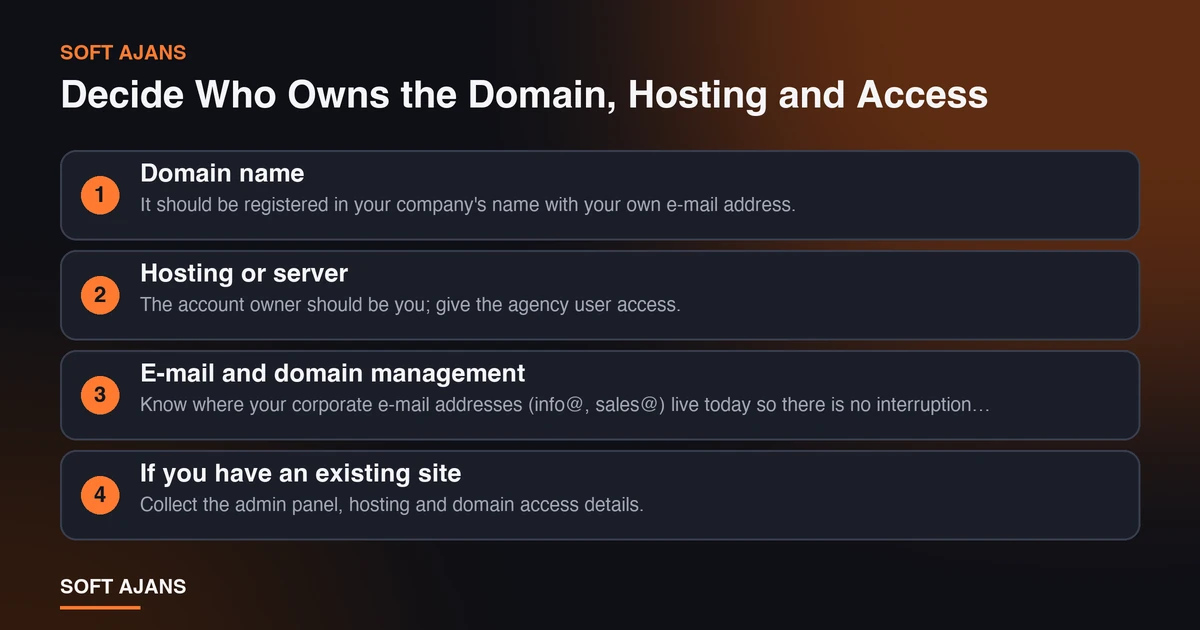
- Domain name: It should be registered in your company’s name with your own e-mail address. Note the renewal date somewhere.
- Hosting or server: The account owner should be you; give the agency user access.
- E-mail and domain management: Know where your corporate e-mail addresses (info@, sales@) live today so there is no interruption during a move.
- If you have an existing site: Collect the admin panel, hosting and domain access details.
- Google accounts: Where do Analytics, Search Console and the business profile sit? You should be the owner and the agency an authorized user.
We covered this topic in more detail in the article on who owns your digital accounts. If you are starting a new business, the digital setup checklist for a newly opened business gives these steps in order.
If you have an old site, there is one more issue: if the addresses will change, the old pages must be redirected to the new ones. Otherwise the Google visibility built up over the years disappears. The article what is a 301 redirect and how is it done explains the logic of this work; if you give the agency the page list of the old site, it will plan this from the start.
Prepare the Logo, Copy and Images

These are the three items that delay a project the most, and all three are in your hands.
Logo and brand files. You need the vector version of the logo (SVG, AI or PDF), the color codes and, if there is one, the font information. If you only have a low-resolution file such as a screenshot, say so at the first meeting; renewing or redrawing the logo becomes a separate work item. For color palette and typography choices too, your brand files need to be ready before decisions can be made.
Copy. There is no rule that a designer does not write copy, but the copywriting work should be a separate part of the scope. Check that the quote clearly says “copy will come from you” or “copy will be prepared by us”. If you will write it yourself, at least prepare drafts of these pages: about us, a short description of each service, frequently asked questions and contact details. A flawed draft is worth much more than a blank page.
Images. Real office, team, product and project photos give more trust than stock images. Even clear, well-lit phone photos are enough to start with. Depending on your service, product catalogs, before-and-after images or short videos also help. Make sure the people in the photos have given permission for publication.
Collect References, Reviews and Legal Information
The visitor’s second question is always the same: “Is this business trustworthy?” References, customer reviews, certificates and awards answer that question. Collect in advance:
- Customer logos and short quotes that you have permission to publish
- The link to your Google reviews and your rating, if you have one
- Certificates, memberships and authorization documents (only real ones)
- A few concrete examples of work you have done
Getting permission before putting a review or customer name on the site is right both legally and for your reputation. If you do not have a Google business profile or it is incomplete, run that work in parallel with the site; the article what is a Google Business Profile is enough to get started.
On the legal side, also prepare the pages your site should contain: the privacy and personal data protection text, the cookie notice (if you use cookies), the company name and contact details. These texts should be checked by your legal adviser; an agency can suggest template text but does not take on the legal responsibility.
Gather Example Sites, Define the Approval Process and Set a Budget
The strongest tool for making design conversations easier is example sites. Collect three or five sites you like and dislike, and write one sentence for each saying why: “I liked the large photo on the home page”, “the menu is too confusing”. This list gives a much clearer direction than vague sentences like “make it modern and simple”. Add your competitors too; the aim is not to copy them but to see where you will stand out.
Define the approval process from the start. Who will make the decision? If there are partners or a spouse, when will their opinion be taken? If the decision maker does not attend every design presentation, revisions repeat. Appointing one authorized person and sending feedback in one batch is the habit that shortens a project the most.
Budget and schedule. Giving a budget range prevents the agency from making wrong assumptions. We explained what the price depends on in the article what determines web design prices. Also mention your schedule constraint: if there is a trade fair, an opening or a campaign date, the time plan is made accordingly.
A 10-Item Preparation Checklist
Tick the following list before the first meeting. Every item you answer “no” is either an opportunity or a risk that could delay the project:
- I wrote the goal I expect from the site in one sentence.
- I identified the main audience and my three most important services.
- The domain and hosting account are registered in my name (or will be newly opened).
- I collected the access details of the existing site and Google accounts.
- I can reach the vector file and color codes of my logo.
- Drafts of the about and service texts are ready, or the copy work is included in the quote.
- Real photos and images are ready or a shoot is planned.
- I got publication permission for references, reviews and documents.
- I noted the example sites I like and dislike.
- I determined the decision maker, the budget range and the target date.
You do not need to complete all of them. But even six or seven ready items move the first meeting from “trying to find out what we want” to “discussing how to do it”.
The Cost of Starting Unprepared
To make the value of preparation concrete, look at a typical picture. The design is made with “lorem ipsum” because the copy does not arrive. When the copy arrives later, the headings do not fit, the sections are rearranged and the design is approved a second time. The logo is low resolution; redrawing becomes a separate job. The password of the domain cannot be found; ownership verification takes days. Each is a small delay, but together the project stretches for weeks and all parties lose control of the process.
Unpreparedness has a more insidious cost too: the site is rushed live and an incomplete site is published. Empty pages, temporary text and stock photos stay on the site for a long time. Yet the visitor’s first impression happens only once. If you had a site built before and are unhappy with it today, the signs in when should a website be redesigned show why this preparation matters so much when you start again.
Preparation also makes comparing quotes easier. When you have the goal, the page list, the copy status and the budget range, you give three agencies the same information and the quotes you receive sit on the same base. We explained what to look for when reading quotes, item by item, in how to compare web design quotes. You can plan how much time you will need to spend during the process with how long does it take to build a website. For the general framework of the process, also see the guide how to build a website.
What Does Soft Ajans Do in This Process?
In our web design service the process starts with a needs analysis: the project goals, user groups, page needs and technical requirements are determined together. Then the page structure is planned, the design is prepared as a draft and we do not move on to development without your approval. If you have gaps in copy, images or access, we list them together at the first meeting; what comes from you and what comes from us is written in the quote.
If you also want to see the current state of your site, you can request a free pre-analysis. A technical health summary, a comparison with one competitor and the first three priorities are sent to you; it does not require any commitment.
Frequently Asked Questions
Do I need to have a logo made before ordering a website?
No, but if there is no logo or it is of very low quality, handling it together with the site gives a more consistent result. If the logo changes later, the colors, images and social media accounts also need updating. So where possible, completing the brand identity first and the site second creates less rework.
Does the agency write the copy or should I prepare it?
Both options are possible; what matters is that it is clearly written in the quote. You know your sector best, but the structure of the text for search engines and ease of reading is an expert’s work. The practical way is for you to provide the information and the agency to edit and write it.
Is it a problem if the agency registers the domain?
It can be registered through the agency’s account, but your name and details should appear as the owner and you should have access to the management details. That way your domain is not held hostage when you want to change agencies. Have the contract state that the domain belongs to you.
Can I move the content of my old site to the new site?
Mostly yes. Page texts, images and blog posts are transferred to the new structure. The thing to watch is the address structure: if the old addresses are not redirected to the new ones, visibility in search results drops. That is why giving the agency the page list of the old site is important.
How many weeks does the project stretch if I start unprepared?
It is not possible to give an exact figure; the amount of delay depends on the missing items and your approval speed. In general, in projects waiting for content, a logo and access, the duration stretches as long as it takes to complete those items. Doing the preparation up front is what shortens the schedule most.
How many quotes should I get before ordering a website?
Three quotes give most businesses a sufficient comparison. What matters is to give all three agencies the same information; if you convey your goal, page list, copy and image status and budget range in the same way, the quotes become truly comparable.